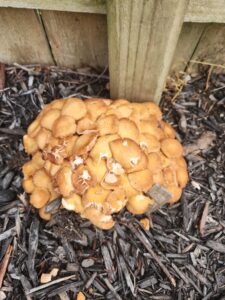
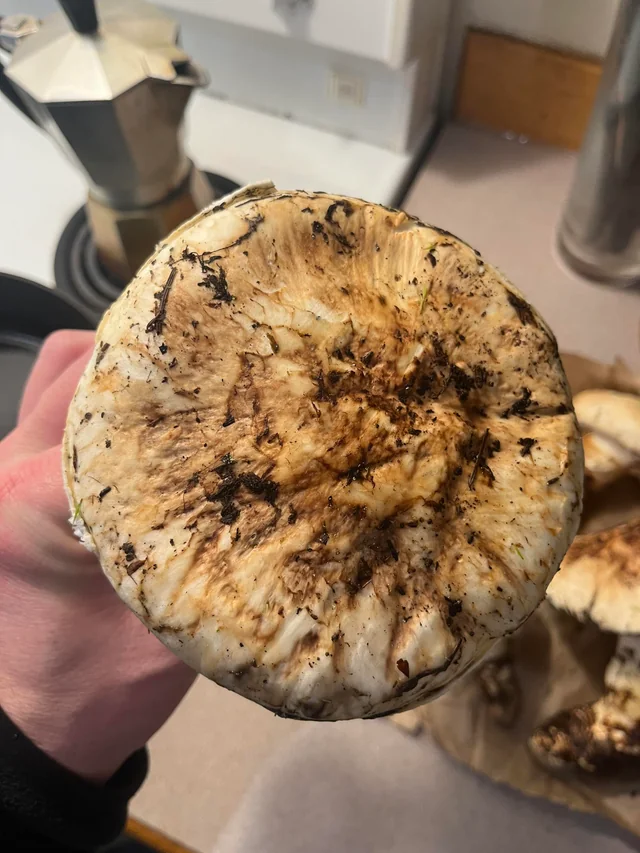

To obtain the Mystical Pine Mushroom in Crimson Desert, first unlock access to Pororin Forest by completing the related Pororin Forest Guardians quest chain, including “The Unreachable Village.” Then follow the Young Monk’s Request marker to Pororin Cave, deal with the red mushrooms that release a sleep-inducing cloud, and collect the quest mushroom from the cave floor near the deeper section.
The most common reason players get stuck is not the mushroom itself. It is the hidden access requirement. If the local residents keep knocking Kliff unconscious and removing him from the area, progress the Pororin questline before attempting the cave again.
| Step | What to do | Common problem |
|---|---|---|
| 1 | Accept Young Monk’s Request | Quest may appear before the forest is accessible |
| 2 | Trigger and complete The Unreachable Village chain | Repeated knockouts are part of the access gate |
| 3 | Return to Pororin Forest | Confirm residents no longer eject you |
| 4 | Follow the marker to the base of the hill | Players often search on top of the hill |
| 5 | Enter Pororin Cave | Red mushrooms repeatedly put Kliff to sleep |
| 6 | Destroy or bypass the red mushrooms | Wait for clouds to clear before advancing |
| 7 | Pick up the Mystical Pine Mushroom | It can blend into the cave floor |
Start Young Monk’s Request to obtain the Mystical Pine Mushroom
Find and speak with the young monk connected to the Demeniss commission. Accept the request for a rare mushroom. The quest marker sends you toward Pororin Forest, but reaching the marker does not guarantee that the zone is fully unlocked.
Check the quest journal for related faction tasks. Names and menu organization can vary slightly by localization or game updates, but the important prerequisite is the Pororin Forest access questline.
Unlock Pororin Forest
Approaching the restricted area before completing its story sequence can cause the Pororin residents to put Kliff to sleep and move him away. Several current walkthroughs report that repeated attempts to enter help trigger “The Unreachable Village,” which leads through the necessary Pororin Forest Guardians objectives.
Complete that chain before returning to the mushroom quest. When the forest is properly unlocked, you should be able to move through the village area without being immediately removed.
If the prerequisite does not appear
Try these checks:
- Confirm Young Monk’s Request is active.
- Review Pororin Forest Guardians or related faction entries in the journal.
- Approach the restricted forest through the intended route.
- Allow the access event to complete rather than reloading immediately.
- Finish any newly added objective before returning to the cave marker.
- Rest, save, and reload if the quest list does not update.
Do not spend a long time forcing your way into the cave while the region is still hostile. The access quest is the cleaner solution.
Find Pororin Cave
Follow the Young Monk’s Request marker into Pororin Forest. The cave entrance is near ground level at the base of the marked hill. A marker that appears higher than your character can make it seem as though the mushroom is on top.
Circle the lower slope and look for a dark opening rather than climbing directly toward the icon. If you reach the top without finding an entrance, return to the base and scan the rock face.
Get through the sleep-inducing mushrooms
Inside the cave are red mushrooms that release clouds capable of repeatedly putting Kliff to sleep. There are two widely reported approaches.
Safer ranged approach
Equip a bow before entering. Target red mushrooms from outside their cloud range and shoot them until they break. Charged shots may clear them faster. Wait for the visible cloud to dissipate before moving forward to the next target.
This method is easier to control because it reduces the number of wake-up cycles. Carry enough arrows and avoid standing inside the cloud while aiming.
Wake-and-dodge approach
You can also use the on-screen wake prompt and immediately dodge or roll forward. Repeat the sequence to gain ground between sleep effects. This is faster when it works but can feel inconsistent if another input or counterattack interrupts the wake action.
Use short advances. Trying to sprint through the entire cave often causes repeated collapse in the same area.
Exact location to obtain the Mystical Pine Mushroom
Advance toward the deeper part of the cave after clearing or bypassing the red mushrooms. The Mystical Pine Mushroom is a ground pickup among other cave fungi. Multiple guides place it near the center-to-back portion or the back-left/deep area, so inspect the floor rather than only looking for a tall glowing object.
Move slowly and watch for the interaction prompt. Other items, including differently named mushrooms, may be nearby. A regular pine mushroom outside the cave does not satisfy this objective.
Once the correct item is collected, check the quest log. Some versions or quest states register completion immediately instead of requiring a manual delivery sequence.
Troubleshooting a missing mushroom
The cave is accessible, but the item is not visible
Leave the area, rest at a camp or pass time, and return. Save and reload if necessary. Confirm that the quest is actively tracked and that the prerequisite chain is fully complete.
The marker points above the cave
Search the base of the hill. The vertical marker position can be misleading.
Red mushrooms keep respawning or clouds remain
Destroy them from range one at a time and wait for each cloud to clear. If an object cannot be destroyed, use the wake-and-dodge method to pass it.
A normal pine mushroom did not count
The objective requires the quest-specific Mystical Pine Mushroom inside Pororin Cave. Items gathered elsewhere will not complete it.
The residents still remove Kliff from the forest
The access questline is incomplete. Return to the faction journal and finish the Pororin Forest Guardians objectives.
Efficient route checklist
- Activate Young Monk’s Request.
- Resolve the Pororin Forest access gate first.
- Track the quest marker after the region becomes friendly.
- Search the base of the marked hill for the cave.
- Equip a bow and stock arrows before entering.
- Destroy red mushrooms from outside their clouds.
- Scan the deeper cave floor for the pickup prompt.
- Confirm the objective updates before leaving.
Before entering the cave
Make a manual save if the game allows it, equip the bow, confirm you have arrows, and clear unnecessary combat alerts in the surrounding area. Tracking only the Young Monk’s Request reduces marker confusion.
At the entrance, observe the timing and area of each red mushroom’s cloud before advancing. Destroy the nearest hazard first, wait for visibility to improve, and then repeat. If Kliff falls asleep, use the displayed wake command instead of rapidly pressing unrelated combat inputs.
After collecting the item, pause and confirm that the objective counter changed. This prevents leaving the forest with a normal pine mushroom while the quest-specific pickup remains behind.
Frequently asked questions
It is inside Pororin Cave in Pororin Forest, on the ground in the deeper part of the cave.
The region is still gated. Complete “The Unreachable Village” and the related Pororin Forest Guardians sequence.
Shoot the red mushrooms from range and wait for the cloud to disappear, or repeatedly use the wake prompt and dodge forward.
No. You need the quest-specific item from the cave.
Some current player reports and walkthroughs indicate that collecting the correct item updates or completes the objective automatically. Follow the quest log shown in your game version.